BucketWorx
BucketWorx is a desktop S3 client for Windows, macOS and Linux. It browses large buckets, uploads and downloads in parallel with pause and resume, syncs folders with a preview, restores old versions and undeletes files, and has a command line and a built-in MCP server for AI tools. It has a Storj preset, tested against Storj with its full compatibility suite.
BucketWorx has a free edition, and a one-time Pro licence for multiple accounts, folder sync and AI write access. It's in public beta.
Create S3 credentials
BucketWorx connects through Storj's S3-compatible gateway, so it needs S3 credentials, not an access grant. Follow Access and choose S3 Credentials as the access type. Copy the Access Key and Secret Key: the secret is shown only once.
Connect BucketWorx to Storj
- In BucketWorx, click Add account.
- Choose Storj from the Provider list. BucketWorx fills in the endpoint,
https://gateway.storjshare.io, and the settings Storj needs. - Give the account a name, and paste the access key and secret key.
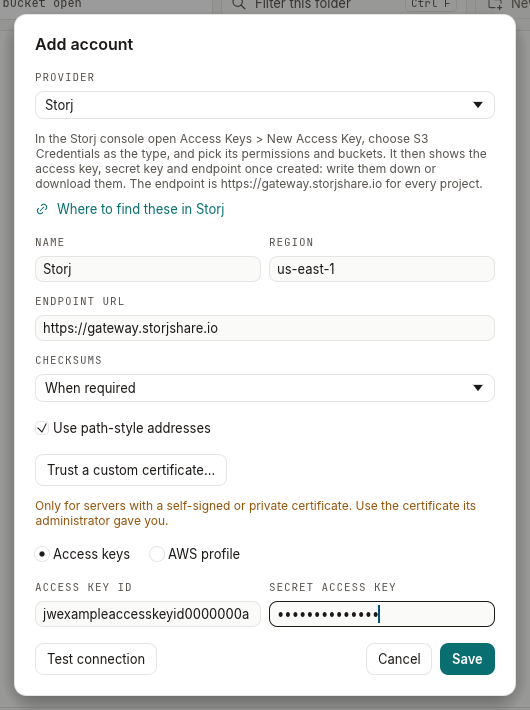
- Press Test connection, then Save. Your buckets appear under the account in the sidebar.
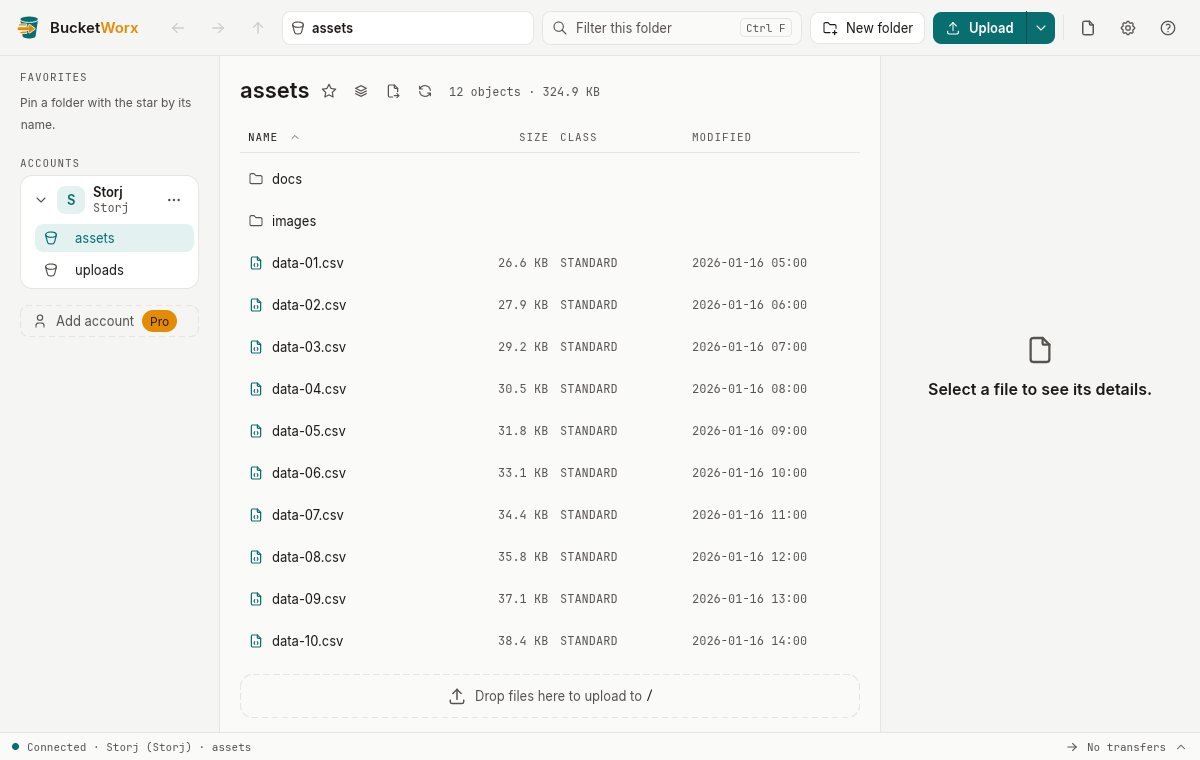
BucketWorx keeps the secret key in your operating system's keychain.
What BucketWorx does differently on Storj
- Part size. Large files are uploaded in parts of at least 64 MB, so each part fills a Storj segment.
- Versions. In a bucket with versioning, BucketWorx shows each file's versions, restores old ones, and undeletes files. Its recycle bin view lists everything deleted in a folder and the folders below.
- Object Lock works: locked files can't be overwritten or deleted.
- Deleting a bucket. BucketWorx refuses to delete a bucket that still holds old versions or delete markers, so they're never removed with it by accident.
- Not offered on Storj: object ACLs, CORS rules, bucket policies, lifecycle rules, website settings and storage classes, as Storj doesn't support them.
More detail: BucketWorx provider notes.